
The job in your hand.
The shop in the loop.
When you're standing at the equipment, the details matter. Keep the site, nameplate, symptoms, and next part together on your phone. Send the field record to the office when you're ready.
Use your shop account. The public beta has no demo sign-in.
Need access? Contact us on Discord.
Less retyping.
More of the job kept.
The job stays with you as you move between notes, equipment, parts, and truck stock. Your draft stays in this browser until you send it to the office.
- Jobs & equipment
- Keep the site, trade, equipment identity, fault, and labor/materials estimate connected to the job.
- Nameplate & diagnosis
- Capture a plate, review the reading, record symptoms, and follow cited guidance. Confirm the equipment details before acting.
- Truck stock & replenishment
- Track on-hand quantities, see low-stock items, and build replenishment carts. Local truck stock and Desk inventory remain separate.
- Help & saved fixes
- Gather the job’s evidence for a help request and keep repairs you have already recorded for reference.
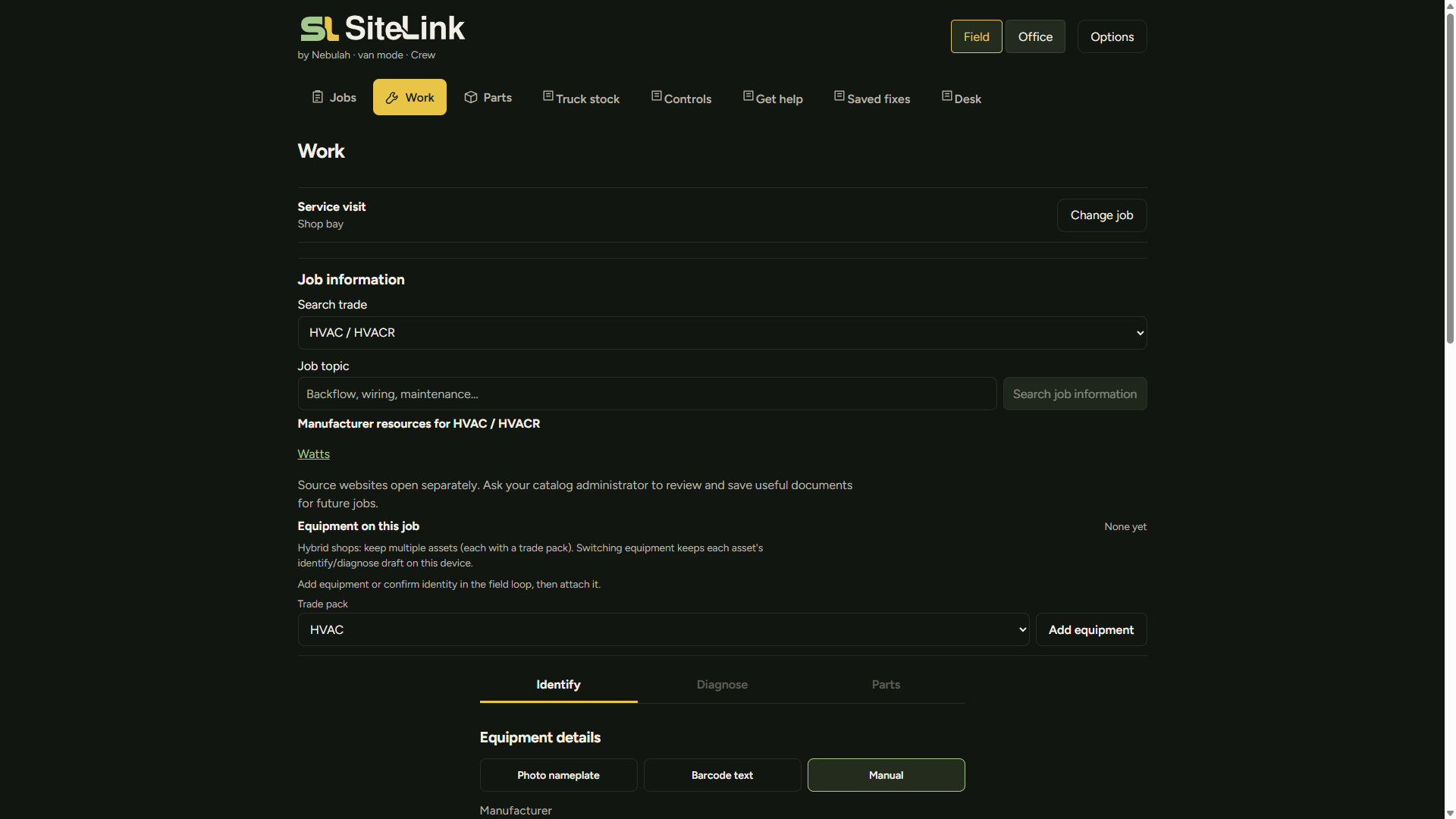
A save on your phone is not an office save. Send to office transfers symptoms, evidence, and equipment text. Sending the current nameplate photo is a separate action and needs an existing Desk job.
The next step
belongs on the schedule.
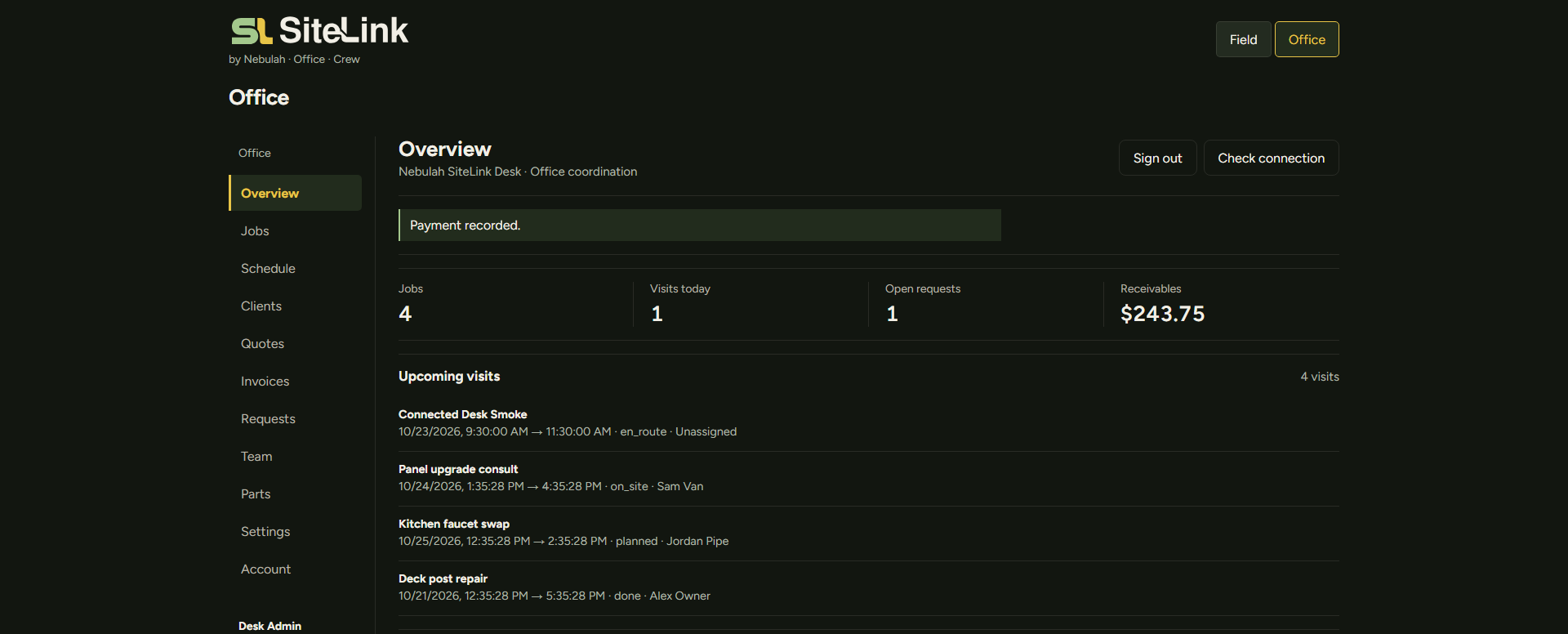
Once the field record arrives, the shop can pick up the work in Desk: plan a visit, prepare a quote, and keep the customer informed.
- Jobs, clients & requests
- Keep customer and job records organized, review incoming requests, and work with the field information sent to Desk.
- Scheduling & team access
- Schedule visits, assign technicians, and manage the people and active trades in your shop.
- Quotes & invoices
- Prepare job pricing, maintain quote and invoice records, and record payments. Recording a payment does not charge a customer’s card.
- Parts handoff
- Review selected materials and add them to an office job with the required access. Candidate prices and fit still need review.
The part. The manual.
The source behind it.
Parts, Catalogs, Suppliers, and Job kits share the job and equipment context. Keep a candidate’s source visible while you decide what fits.
- Supplier browsing
- Find supplier and manufacturer catalogs by trade. Pricing, account access, and live availability stay with the supplier.
- Saved manuals
- Search pages in manuals imported into your shop’s catalog, follow citations, and return to the original document where available.
- Manufacturer references
- Find imported parts and trade/topic references. Document coverage depends on what has been sourced and reviewed.
- Fit needs evidence
- A candidate part is not a verified replacement. Review model applicability, unresolved fit, and supersession details before ordering.
This is a growing, reviewed reference library—not a complete database of every manufacturer or a live supplier stock feed.
Built around
the work your shop does.
The shop owner selects active trades. Jobs and Work use that context to surface the relevant tools and references.
- HVAC
- Plumbing
- Electrical
- Appliance
- Irrigation
- Pool & spa
- Garage door
- Alarm / low voltage
- Locksmith
- Chimney
- Glazier
- Outdoor power / small engine
Twelve technical trade packs are represented in the current project. Reference depth and equipment coverage vary by trade; selecting a trade does not guarantee a manual or verified part match for every model.
Know what you’re
getting into.
SiteLink is early software with real shop accounts. Its core field and office workflows are available; connected services need their own setup and acceptance.
Core product
- Field: jobs, equipment details, local notes, cited guidance, parts browsing, and saved fixes.
- Office: Desk records, clients, visits, requests, quotes, invoices, and team access.
- Stock & references: replenishment tools and imported manuals/catalogs, depending on plan and available content.
Separate setup & testing
- Discord & Teams: job alerts, selected-channel monitoring, and inventory commands are implemented; live provider acceptance remains separate.
- Controls: reader workflows exist, but physical controller compatibility and hardware acceptance are still in testing.
- Email, SMS & card collection: do not assume these are active. Live delivery and payments require configured providers and verification.
Free
For one person exploring Jobs, Work, and parts browsing, with a limited diagnosis allowance.
Solo Pro
For one person who needs the wider field tools, truck stock, Controls, and Desk.
Crew
For a shop working with a team, shared repair notes, and office workflows. Seats and access depend on your shop’s setup.
Beta packaging and pricing are still being refined. Check the app or ask us about access for current plan details. Enterprise and multi-branch work is still developing; contact us about those needs.
Good to know before you start.
Can I try it without a shop account?
The public beta uses real shop accounts and does not provide a demo sign-in. Open SiteLink if you already have access, or contact Nebulah on Discord to discuss joining. The screenshots on this page use sample data.
Does saving on my phone sync everything to the office?
No. Field notes, the nameplate photo, and draft diagnosis stay in that browser until you send them. Send to office transfers the field record. The photo has a separate send action that requires the job to exist in Desk. Local truck stock and Desk stock also remain separate after an import.
Are supplier prices and stock live?
Supplier catalogs open the supplier’s site, where pricing and availability are maintained. Imported references are not a live inventory feed. Review the candidate part and its fit before ordering.
Does SiteLink automatically diagnose or identify every unit?
No. Review the nameplate reading and equipment identity, then assess the cited guidance against the equipment in front of you. Reference coverage varies. A missing read should remain empty rather than becoming an invented model or serial number.
Are chat bots, payments, and hardware ready for every shop?
No. These require separate provider or hardware setup and acceptance. The chat assistant currently recognizes a bounded set of commands; it is not a general-purpose AI assistant. Payment recording is distinct from live card collection.
Give the next job a clearer handoff.
Open SiteLink with your shop account, or talk with us about the work you need it to handle.